Start With a Pilot: Partner First Edge AI Deployment in Four Phases
Edge AI deployment, in the enterprise workflow sense, means installing AI directly inside the tools your team already runs, your CRM, your marketing platform, your ops software, so it acts on live company data instead of a disconnected app.
On this page
Edge AI deployment, in the enterprise workflow sense, means installing AI directly inside the tools your team already runs, your CRM, your marketing platform, your ops software, so it acts on live company data instead of a disconnected app. This fits teams with repeatable sales, marketing, or operations processes and a CRM record that’s reasonably clean and unified. If that describes your organization, the right next move is a scoped process audit or a bounded pilot, not a full-scale rollout.
TL;DR:
- Embedded AI reduces context switching by reading and writing directly within existing CRM workflows, significantly improving user adoption and efficiency.
- Proper phase-based implementation, including process mapping, testing, and phased rollout, is essential for successful deployment and trust-building.
- Governance measures such as explainability logging, permission scoping, and human oversight are crucial to mitigate risks and ensure compliance during AI operations.
- Data quality, process repeatability, and platform permission structures determine whether embedded AI is suitable, with a clear checklist guiding readiness assessments.
- Deployment costs typically range from $15,000 to $30,000 upfront, with monthly infrastructure between $500 and $2,000, depending on scale and complexity.
What Is Embedded AI Deployment for Enterprise Workflows?
Embedded AI deployment means building an AI layer that lives inside the systems your team already uses, rather than bolting on a separate application that requires new logins, new training, and constant data syncing. The AI reads and writes directly to your CRM records, participates in your existing workflow engines, and inherits the platform’s permission structure. Embedded AI operates natively inside enterprise applications, which lets it act on live, unified business data while automatically picking up the host platform’s security and governance rules instead of requiring a separate compliance framework.
This distinction matters more than it sounds. A bolt-on AI tool usually needs its own database, its own login, and manual export/import routines to stay synced with your CRM. An embedded system skips all of that. CRM-native AI agents can read and write records as part of a task, trigger workflow steps, and log every action under the same audit trail your compliance team already monitors. That bidirectional flow, write-back instead of one-way reporting, is what separates embedded AI from a chatbot widget stapled onto a dashboard.
The standard industry term for this pattern is “agentic AI” or “CRM-native AI,” and you’ll see both used alongside “embedded AI” in vendor documentation. All three point at the same underlying idea: AI that operates as a participant inside your workflow, not a bystander watching from outside it. Practitioners increasingly call the deployment method itself “AI at the edge of the workflow,” a phrase borrowed loosely from edge computing but applied here to mean the edge of a business process, where decisions actually get made, rather than a remote device.
Where Embedded AI Creates Measurable Business Value
The biggest efficiency gain isn’t the AI’s intelligence. It’s the elimination of context switching. When a rep has to leave their CRM to check an enrichment tool, then switch to email, then come back to log notes, every hop adds friction and creates gaps where data goes stale. Platforms that embed AI reduce that context switching and integration overhead, which is a major reason adoption rates climb once AI lives inside the tool people already open forty times a day.
Real-time record write-back compounds that benefit. Instead of a rep manually updating a deal stage after a call, the embedded agent listens for the outcome, updates the record, and triggers the next workflow step automatically. Here’s where the value concentrates for sales, marketing, and ops teams:
- Lead qualification: an agent scores and routes inbound leads the moment they hit the CRM, cutting the wait time between form fill and first outreach.
- Opportunity orchestration: the system flags deals that need attention, reassigns stalled opportunities, and sequences follow-up tasks without a manager manually auditing the pipeline.
- Post-meeting follow-up: call summaries, next steps, and CRM updates get drafted automatically from meeting transcripts.
- Data enrichment: contact and account records get filled in with firmographic or behavioral data as new information arrives, rather than during a quarterly cleanup sprint.
- Stale-deal alerts: opportunities that haven’t moved in a set number of days get surfaced to a manager before they quietly die in the pipeline.
Enterprise deployments that follow this pattern report faster lead qualification and stronger response rates once agents operate with governance and a phased rollout, rather than being switched on all at once. The gains show up first in cycle time, how long it takes a lead to move from “captured” to “qualified”, because that’s the step most often bottlenecked by a human’s inbox.
Should You Choose Embedded AI or a Bolt-On Tool?
Embedded AI isn’t the right starting point for every team, and pretending otherwise wastes budget. Three readiness factors decide it.
Data readiness comes first. If your CRM records are duplicated, missing key fields, or scattered across three systems that don’t talk to each other, an embedded agent will confidently automate decisions on bad data. Clean that up before anything else.
Workflow fit comes second. Embedded AI performs best on processes that repeat often enough to have a measurable pattern, lead routing, follow-up sequencing, renewal reminders, not one-off judgment calls that vary every time.
Governance fit comes third. You need a platform where permission structures and audit logging already exist, so the AI inherits them instead of you building a parallel compliance system from scratch.
Run this checklist before committing to either path:
- Does more than 70% of the relevant CRM data live in one record, without needing a spreadsheet lookup?
- Does the target process happen at least weekly, with a clear success or failure outcome?
- Can your current platform log who changed what, and when, without added tooling?
- Does at least one person on your team own this workflow and understand it end to end?
Three or four “yes” answers point toward embedded AI. Two or fewer suggest starting with a bolt-on tool or fixing data hygiene first.
Pro Tip: Run the checklist on paper with your ops lead before touching software. Teams that skip this step usually discover mid-pilot that the “clean” CRM data they assumed they had was actually three conflicting versions of the same field.
How Do You Roll Out Embedded AI Without Breaking Workflows?
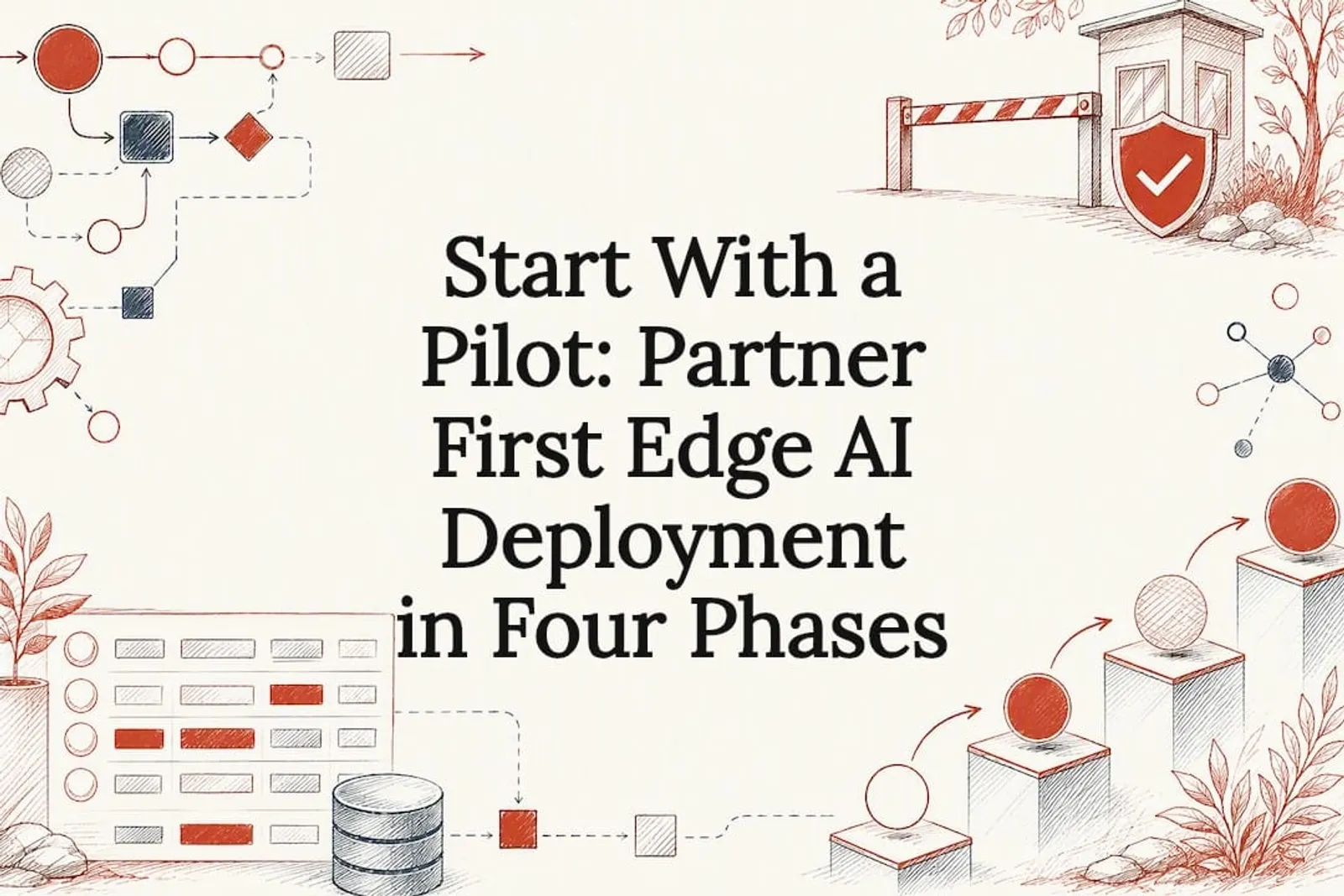
A staged rollout beats a big-bang launch every time, because it lets you calibrate trust in the system before it touches anything customers see. A practical schedule runs in four phases:
- Phase 0, process mining and baseline (roughly one week). Map the actual workflow as people run it today, not as the org chart says it should run. Capture your current cycle time, response rate, or win rate as the number the pilot has to beat.
- Phase 1, architecture and plumbing (roughly one week). Wire up connectors between your CRM and orchestration layer, tools like n8n or Make.com are common here, and sandbox the integration so nothing writes to production yet.
- Phase 2, prompt engineering and staging (roughly one week). Build the schema the AI writes into, enforce field-level rules, and route every output through a human-in-the-loop review queue before it touches a live record.
- Phase 3, governance calibration and phased rollout (six to twelve weeks). Run a controlled regional or team-level pilot, watching error rates and override frequency, before expanding to the full organization.
That four-phase cadence, documented in detail as a practical build schedule, gives you natural checkpoints to slow down or stop if something’s off, rather than discovering a problem after it’s already touched every deal in the pipeline.
During each phase, what you measure changes. Phase 0 is about baseline numbers. Phase 1 and 2 are about integration errors, does the data actually flow cleanly between systems? Phase 3 is where trust thresholds get tuned: how much autonomy does the agent get before a human has to approve its action?
- Start with suggestion-only mode: the AI drafts, a human approves.
- Expand to auto-write on non-critical fields once accuracy holds steady.
- Only extend write-back to customer-facing actions after the pilot proves reliable over time.
Our own walkthrough of an AI sales follow-up system built inside a CRM shows this staged trust-building in practice, including where the human checkpoint sat during the first month of live use.
How Do You Control Risk When AI Acts Inside Your Systems?
Bounded autonomy is the core governance concept here: the agent operates freely within a defined scope, but anything outside that scope routes to a human. Dynamic trust scoring extends the idea, letting the system earn broader permissions as its accuracy holds up over time, rather than granting full access on day one.
A four-layer reference architecture, agent orchestration, policy enforcement, human oversight, and an auditable execution substrate, gives enterprise CRM deployments a structure for this. Each layer has a distinct job: orchestration decides what the agent does next, policy enforcement checks that action against the rules, human oversight catches anything ambiguous, and the auditable layer logs every step so a compliance review can reconstruct exactly what happened and why.
Practical controls worth building in from day one:
- Explainability logging: every AI decision gets stored with the reasoning that produced it, not just the output.
- Prompt and model versioning: you can trace which version of the system made a given decision months later.
- Permission scoping: the AI inherits the same access limits as the human role it’s acting on behalf of, and only specific admins can modify what it’s allowed to write.
- Escalation queues: ambiguous cases route to a human reviewer instead of the AI guessing and moving on.
Human-in-the-loop design works precisely because it keeps people focused on judgment calls while routine data entry runs itself, and that division holds up better than trying to automate everything at once.
Pro Tip: Build your exception queue before you build the automation. If you don’t know where ambiguous cases go, you’ll find out the hard way when one lands in a customer’s inbox unreviewed.
Our piece on where human-in-the-loop actually belongs breaks down which decision types should never be fully automated, regardless of how confident the model seems.
What Does Embedded AI Deployment Cost, and How Fast Does It Move?
Illustrative cost bands for a custom build run $15,000 to $30,000 one-time for the initial implementation, with monthly infrastructure typically landing between $500 and $2,000 depending on data volume and the number of connected systems. These are directional figures from practical build examples, not a quote, and your actual number depends heavily on how many systems need connecting and how messy the starting data is.
A pilot MVP typically takes around a few weeks to a couple of months from kickoff to a working staging environment, followed by several additional weeks of controlled rollout before full-scale deployment. That timeline tracks closely with the phased roadmap covered earlier.
Enterprise deployments run with governance and phased pilots show measurable gains in lead qualification speed and response rates, the same two metrics that tend to move first and fastest once an embedded agent goes live.
Track these KPIs from day one, not after the fact:
- Hours saved per week on manual data entry and follow-up drafting.
- Lead qualification cycle time, from capture to qualified handoff.
- CRM adoption rate among the team using the new workflow.
- Win-rate uplift on opportunities touched by the automation.
- Average response time to inbound leads or customer messages.
Set a go/no-go gate at the end of Phase 3: if adoption or accuracy hasn’t cleared your baseline within the pilot window, pause and diagnose before expanding further.
Edge AI Hardware and Infrastructure Considerations
Embedded AI deployment inside a CRM doesn’t require specialized hardware the way on-device AI systems do. Your infrastructure needs are mostly cloud-side: API connectivity between your CRM, your orchestration layer, and whichever large language model provider you use.
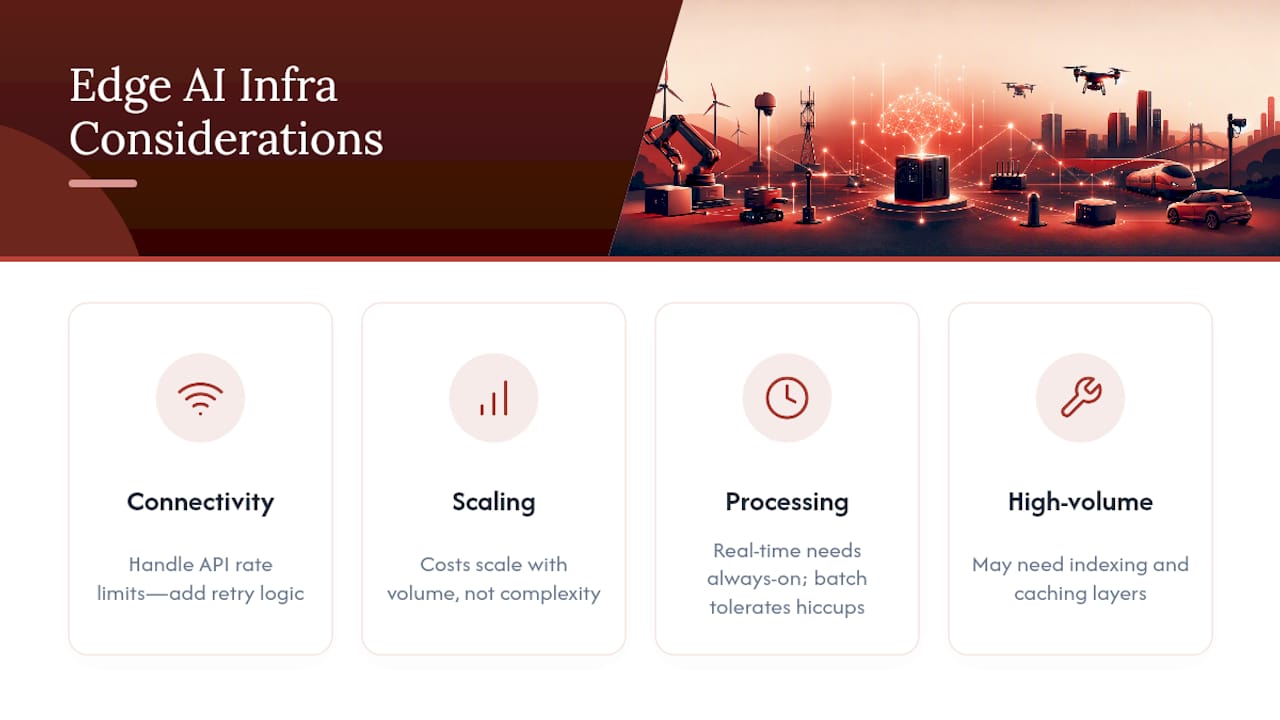
That said, three infrastructure decisions matter more than most teams expect. First, connectivity reliability: if your CRM API has rate limits or intermittent downtime, the agent’s write-back actions will queue up or fail silently unless you build retry logic into the orchestration layer. Second, computing resources scale with volume, not complexity. A team processing a few hundred leads a month needs far less infrastructure than one processing tens of thousands, and your monthly cost band should reflect that difference rather than a flat estimate.
Third, decide early whether processing happens in real time or in scheduled batches. Real-time processing, an agent scoring a lead the instant it’s created, demands a more resilient always-on connection between systems. Batch processing, running enrichment overnight, tolerates more infrastructure hiccups because there’s no customer-facing clock ticking.
Most embedded AI deployments for sales and marketing workflows run comfortably on the same cloud infrastructure your CRM vendor already provides, without needing dedicated servers or specialized computing hardware. The exception is high-volume enterprise deployments handling millions of records, where dedicated database indexing and caching layers start to matter for keeping response times acceptable.
Data Privacy and Security in Embedded AI Deployments
Security risk in embedded AI deployment concentrates at the connection points, not inside the AI model itself. Every integration between your CRM and an external AI provider is a new data pathway, and each one needs its own review.
The first question to answer is what data actually leaves your system. If your orchestration layer sends customer records to a third-party model provider for processing, you need to know exactly what fields travel, whether they’re stored on the provider’s side, and for how long. Many enterprise AI vendors now offer data processing agreements that limit retention, but you have to ask for that in writing rather than assume it.
Second, permission scoping isn’t optional. An embedded agent should never have broader access than the human role it’s replacing or assisting. If a sales rep can only see their own accounts, the AI acting on their behalf should carry that same restriction, not an admin-level view across the entire database.
Third, audit logging has to capture more than “the AI updated a field.” A defensible log shows what data the AI read, what decision logic it applied, and what it wrote, timestamped and attributable. This is the layer regulators and internal compliance teams will ask about first if something goes wrong.
Our guide to what an AI-native compliance workflow looks like goes deeper into building audit trails that satisfy both engineering and legal review, which matters most in regulated industries like finance or healthcare where a missing log entry isn’t just inconvenient, it’s a liability.
Integration Challenges With Existing IT and Cloud Systems
The hardest part of embedded AI deployment usually isn’t the AI. It’s the plumbing connecting five-year-old systems that were never designed to talk to each other.
Legacy CRMs and ERPs often expose limited or poorly documented APIs, which means your orchestration layer has to work around gaps rather than through clean integration paths. Expect to spend real time in the early phase just mapping what data each system can actually expose, and in what format, before writing a single automation rule.
A second friction point is data format mismatch. One system stores dates as text strings, another as timestamps; one uses a customer ID as a number, another as a UUID. These mismatches don’t cause dramatic failures, they cause quiet ones, where a record silently fails to update and nobody notices until a customer complains.
Cloud migration status matters too. A company mid-migration from an on-premises CRM to a cloud platform faces a moving target: the integration you build against the old system may need rework once the migration completes. It’s usually worth sequencing embedded AI work after a major platform migration stabilizes, rather than running both simultaneously.
Finally, IT teams often own systems that sales or ops leaders don’t have full visibility into. Successful embedded AI projects treat IT as a co-owner of the integration from week one, not a department that gets looped in after the automation is already built and something breaks.
Model Optimization Techniques for Edge Environments
Model optimization in an embedded workflow context is less about squeezing a model onto constrained hardware and more about controlling cost, latency, and consistency at scale.
Prompt engineering is the first lever. A well-structured prompt with explicit schema constraints, telling the model exactly what fields to fill and in what format, cuts error rates dramatically compared to an open-ended request. Enforcing that schema at the integration layer, rejecting outputs that don’t match the expected structure, catches most failures before they ever reach a CRM record.
Model selection matters more than raw capability. A smaller, faster, cheaper model often outperforms a larger one on narrow, repetitive tasks like lead scoring or data classification, because the task doesn’t need broad reasoning, it needs consistent pattern matching. Reserve the most capable (and expensive) models for tasks that genuinely require nuanced judgment, like drafting a follow-up email that reads naturally.
Caching and batching reduce cost for high-volume workflows. If the same type of enrichment request runs thousands of times a day, caching similar lookups or batching them into fewer API calls cuts both latency and spend.
Version control on prompts and model configurations deserves the same discipline as code. When a prompt changes, you should be able to trace which version produced which output, especially useful when diagnosing why an agent’s behavior suddenly shifted after an update.
Monitoring and Maintenance After Deployment
Embedded AI systems degrade quietly if nobody watches them. Model drift, where the AI’s outputs slowly become less accurate as the underlying data patterns shift, doesn’t announce itself the way a broken integration does.
Set up dashboards that track override frequency: how often a human corrects or rejects what the AI proposed. A rising override rate is often the earliest signal that something’s drifted, whether that’s the model, the source data, or the business context the model was tuned against.
Schedule a monthly review of a sample of AI decisions against actual outcomes. Did the leads the AI scored as high-priority actually convert at a higher rate? This kind of spot check catches slow accuracy decay long before it shows up in a quarterly KPI report.
Maintenance also means keeping the underlying model current. AI providers update their models regularly, and an update can change output behavior even when your prompts stay the same. Treat model updates the way you’d treat a software dependency update: test in staging before letting it touch production data.
Finally, budget for periodic re-training or re-tuning of your governance thresholds. The trust levels you set during the pilot phase were calibrated against early data. Six months in, with more historical performance to draw on, those thresholds usually need adjusting, sometimes loosening as accuracy proves out, sometimes tightening if a specific use case shows more risk than expected.
Scalability Considerations for Growing Embedded AI Deployments
Scaling embedded AI from a single pilot team to the full organization introduces problems that never showed up during the pilot, because pilots are, by design, small enough to hide them.
Data volume is the first wall teams hit. An automation that ran smoothly on one sales team’s 200 monthly leads can strain when it’s rolled out across ten teams processing 5,000 leads a month. API rate limits, database query performance, and processing queues all need headroom planned in before the rollout, not discovered during it.
Governance complexity grows non-linearly with team count. A single pilot team might share one set of trust thresholds. Ten teams across three departments likely need different thresholds for different risk levels, sales teams handling customer-facing write-back need tighter oversight than an internal ops team updating inventory tags, for instance.
Organizational buy-in is the quieter scalability risk. A pilot succeeding on one team doesn’t guarantee adoption elsewhere. Different teams have different workflow habits, and an embedded agent tuned for one team’s process may need real reconfiguration, not just a copy-paste deployment, before it fits another team’s version of the same job.
Embedding the AI directly into the system of record creates a data flywheel that actually helps scalability over time: as more teams generate more agent-touched records, the shared CRM’s data quality improves, which in turn makes every subsequent team’s rollout smoother than the last.
An Embedded AI Partner’s View on What Makes Deployment Work
Vendors selling a platform want you to configure their software and figure out the rest yourself. That gap, between “here’s the tool” and “here’s how it fits your specific workflow,” is where most embedded AI projects stall. Partnering with someone who works inside your team, not at arm’s length through a support ticket, closes that gap directly.
A real engagement starts with an audit of how your team actually works today, not how the org chart says it should. It builds toward an MVP with human-in-the-loop rules baked in from day one, and it ends with your team owning and understanding the system, not depending on an outside agency to keep it running. That handover is the part most vendors skip.
Theodor
How to Start a Pilot With an Embedded AI Partner
An embedded AI partner offers an alternative to a generic AI platform subscription: instead of configuring software yourself and hoping it fits, you get a partner who embeds inside your team, builds the system around your actual workflows, and hands you something your team fully owns and can run without ongoing dependency on an agency.
Engagements typically start with a paid workflow audit that maps your sales, marketing, or ops processes and identifies where an embedded AI layer would create the most measurable value. From there, custom implementation services build an MVP inside your existing CRM or tools, with human-in-the-loop review baked in and a KPI baseline set before anything goes live. Ongoing partnership options exist for teams that want continued tuning and supervised expansion after the initial pilot proves out.
If your team is dealing with slow lead response times, manual CRM updates eating hours every week, or a pipeline nobody trusts, the next step is a conversation, not a demo. Explore Theodoros Ampas’s embedded AI services and book a discovery call to see whether a scoped pilot fits your workflow.
Primary Sources and Further Reading
For deeper technical grounding, see SAP’s overview of embedded AI architecture, Salesforce’s guide to CRM-native AI agents, the peer-reviewed paper on enterprise CRM agent governance, HubSpot’s practical guide to adding AI without disrupting workflows, and FasterQuotes’s cost and build breakdown for custom automation projects.