Five Stage Customer 360 Data Model for Real-Time Activation
Architect a customer 360 data model around five stages, Data Graphs, and identity rules to enable real-time activation, personalization, and embedded AI.
On this page
A customer 360 data model is a unified schema and set of processes that turn scattered customer records into a single, activation-ready profile. It works best when teams need real-time personalization, cross-channel identity matching, and one consistent version of customer truth across sales, service, and marketing systems. Done right, it replaces a patchwork of exports and lookup tables with one governed structure everyone can query.
TL;DR:
- Building separate Data Graphs around specific activation use cases improves performance and reduces complexity for real-time customer engagement.
- Applying strict normalization at ingestion and adopting a hybrid domain-specific object set enhances match accuracy and reduces rework later.
- Segmenting refresh schedules based on customer activity levels keeps compute costs aligned with engagement, preventing runaway expenses.
- Combining historical data in a lakehouse with low-latency caches and graph databases optimizes storage costs and query speed across different data types.
- An embedded AI approach, integrating workflows directly into existing systems with human oversight, accelerates deployment and enhances trust in the Customer 360 model.
Customer 360 Architecture: From Ingestion to Activation
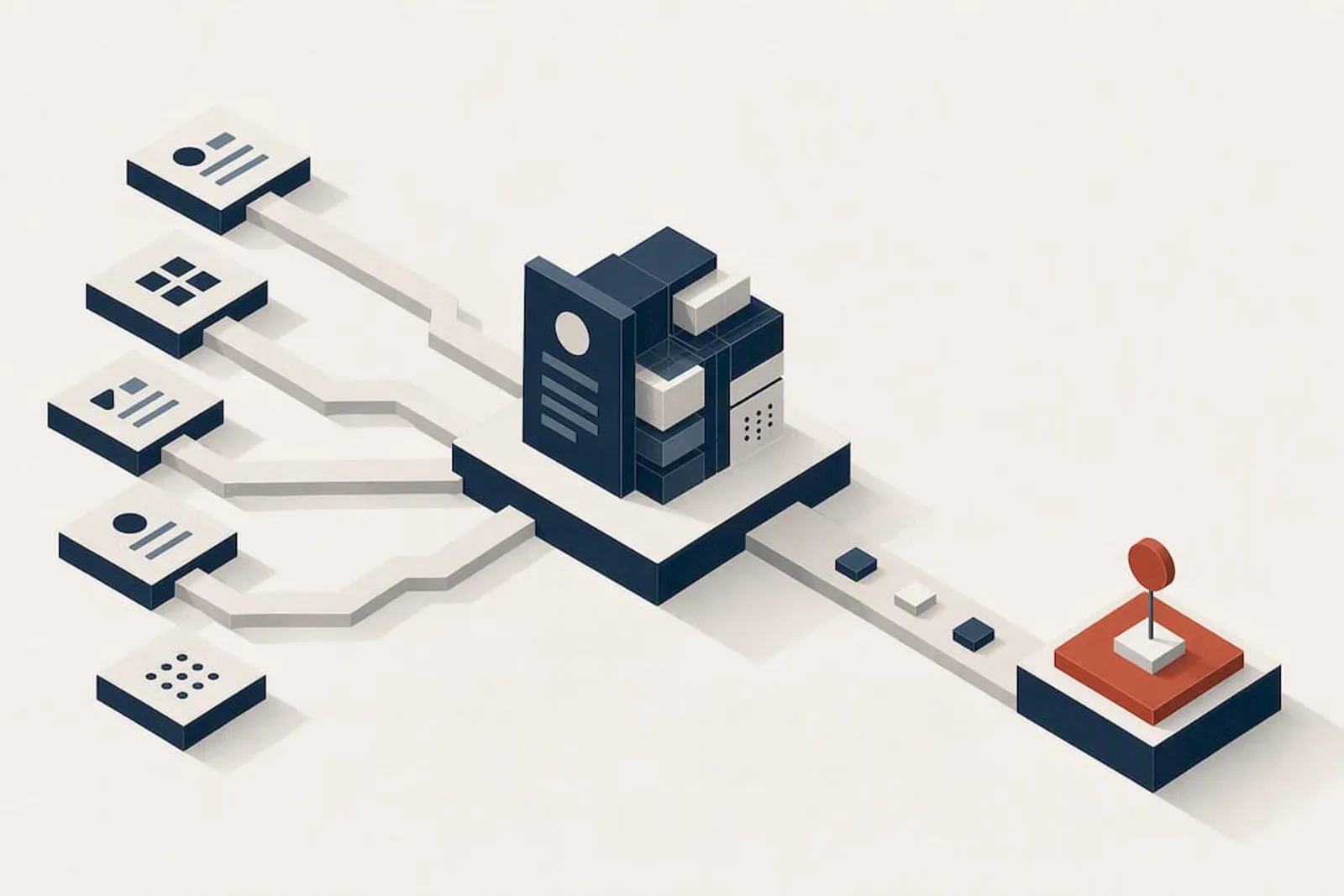
Every working customer 360 architecture moves data through five stages: collection, unification, storage, analytics, and activation. That five-pillar framing shows up consistently in AWS’s guidance on end-to-end data strategy, and it holds up because each pillar maps to a distinct technical decision rather than a vague concept.
Raw data lands first in what platforms typically call Data Lake Objects, or DLOs. These are unmodified copies of source records: a CRM export, a point-of-sale feed, a web analytics stream. From there, transformation logic maps DLOs into Data Model Objects (DMOs), the standardized entities your analytics and activation layers actually query. Salesforce’s Data 360 architecture documents this pattern directly: DLOs feed DMOs through batch or streaming transformations, and unstructured content gets a separate treatment through UDLOs paired with vector stores for chunking and semantic search.
Streaming and batch flows exist side by side, and the split matters more than most teams initially assume. Batch processing suits historical order data, loyalty history, and anything that doesn’t change minute to minute. Streaming ingestion, on the other hand, handles session activity, live cart behavior, and support chat events where a five-minute lag defeats the entire purpose of real-time activation.
On the infrastructure side, four technology classes typically anchor a mature build:
- Lakehouse storage for historical, high-volume records that feed analytics and model training
- Graph databases for identity resolution and relationship queries between entities
- Low-latency caches or key-value stores for session state and fast profile lookups during live interactions
- Streaming services (Kinesis, Kafka, or platform-native equivalents) for near-real-time event capture
A composite build on AWS, for instance, often chains AppFlow for source ingestion, Kinesis for streaming events, Neptune for graph-based identity work, and Redshift for the analytical layer, according to AWS’s data mesh guidance for Customer 360 products. The specific vendor stack varies, but the layering pattern, raw source, standardized model, activation surface, repeats across nearly every serious implementation.
Customer 360 Data Model Objects and Canonical Entities
The data model itself is the contract between your raw sources and everything downstream: dashboards, personalization engines, AI agents, and customer service tools. Get this layer wrong and every application built on top inherits the mess.
DLOs hold unmodified source data. Think of a DLO as a faithful copy of whatever the source system produced, before any cleanup, formatting, or business logic touches it. This matters for audit trails and reprocessing. If a mapping rule turns out to be wrong six months later, you want the original record still sitting there, untouched, so you can remap it rather than re-extract it from a system that may have already changed its export format.
DMOs are the standardized layer everyone actually builds on. A DMO enforces a consistent schema, consistent field names, and consistent data types across every source that feeds it. This is the layer your BI tool queries, your segmentation logic reads, and your AI agents pull context from.
Practically every mature customer 360 model, regardless of vendor, converges on a similar core entity set:
- Individual: a single person, standardized across every touchpoint they’ve interacted through
- Account: the organization or household an individual belongs to, critical for B2B contexts
- Contact Point: email addresses, phone numbers, and physical addresses tied to an individual
- Engagement: interactions, events, clicks, purchases, support tickets, tied back to the individual or account
- Product: the catalog of what’s being sold, referenced by engagement and transaction records
- Consent: communication permissions and privacy preferences, modeled as first-class data rather than an afterthought
Salesforce’s Data 360 model gallery documents an Individual, Unified Individual, Contact Point, Engagement, and Product entity set among a preloaded library exceeding 300 industry-agnostic objects, along with data bundle features designed to map common source formats onto those DMOs automatically. That preload is a genuine time-saver, but it’s not a substitute for domain judgment. A healthcare company’s “Engagement” entity looks nothing like a retailer’s, and forcing a generic template onto specialized data usually creates more rework than starting from a blank, deliberately scoped schema.
The practical decision most teams face early is whether to adopt a preloaded model or build custom objects from scratch. A hybrid approach tends to work best: adopt the preloaded core entities (Individual, Contact Point, Engagement) because they map cleanly to nearly any industry, then build custom DMOs for domain-specific concepts, a manufacturer’s warranty claims, a subscription business’s billing cycles, that generic templates were never designed to capture.
Consolidating first-party signals into these standardized entities is also where the commercial payoff shows up. Merging ecommerce, point-of-sale, loyalty, and marketing data into a single unified profile is what lets personalization engines lift order value, a pattern Shopify’s research on unified customer profiles documents across retail deployments. The model isn’t an academic exercise. It’s the plumbing that makes personalization technically possible in the first place.
Identity Resolution and Reconciliation Rules for a 360 Degree Customer View
Identity resolution is where most customer 360 projects either earn trust or lose it permanently. Get the matching logic wrong and every downstream report, every triggered campaign, every AI-generated recommendation inherits bad assumptions about who’s who.
Two fundamentally different matching approaches apply here, and picking the wrong one for a given context creates real damage. Deterministic matching links records on exact identifiers, an email address, a loyalty number, a government ID, and it works when you have a reliable shared key across sources. Probabilistic matching scores similarity across multiple weaker signals (name plus zip code plus phone area code) and applies a confidence threshold. It’s necessary when no clean shared key exists, but it introduces false positives that deterministic matching never would.
Domain separation is the rule practitioners underweight most often. B2B and B2C identity logic should never share a ruleset. A B2C match might reasonably link two purchases by name and shipping address. Apply that same logic to B2B data, where five people can legitimately share one corporate address and one billing contact, and you’ll merge distinct buyers into a single garbled account. Architecture guidance from Sébastien Tang’s Customer 360 patterns recommends splitting matching rulesets explicitly by domain rather than forcing one global ruleset to handle both cases.
Reconciliation is the step after matching: once you’ve grouped records as belonging to the same individual, you need rules for which source wins when attributes conflict. A workable reconciliation framework looks like this:
- Assign a trusted source per attribute. Let the CRM own job title, let the ecommerce platform own shipping address, rather than picking one universal “source of truth” system for every field.
- Layer in recency as a tiebreaker. When two equally trusted sources disagree, the more recently updated record generally wins.
- Preserve source provenance on every field, even after reconciliation, so you can trace a disputed value back to its origin.
- Generate a gold record that represents the reconciled, canonical version of the individual, the one your activation layer actually queries.
This trust score and precedence approach, combining deterministic rules with recency heuristics, Salesforce’s Data 360 architecture describes as the mechanism for producing a gold-standard profile without silently discarding the original source data.
Pro Tip: Before you trust any identity resolution ruleset in production, run it against a labeled sample of at least a few hundred known matches and known non-matches, and track your match rate and false-positive rate separately. A rollback mechanism matters as much as the ruleset itself. If a rule change starts merging distinct customers, you need a fast way to revert without rebuilding the whole match history from scratch.
Data Graphs, Calculated Insights, and Real-Time Activation
A Data Graph is a materialized, pre-joined view of profile data, built and refreshed specifically to answer one type of question fast. Instead of joining five tables at query time every time an agent desktop loads a customer record, a Data Graph does that join in advance and serves the result from a low-latency store.
The design principle that separates a fast, cost-effective build from a bloated one: build Data Graphs around what a specific activation use case needs, not around everything the data model theoretically contains. A service-deflection chatbot needs recent support tickets, active subscriptions, and open cases. It doesn’t need five years of purchase history. Materializing that graph narrowly, rather than joining the entire customer record on every lookup, is what Sébastien Tang’s architecture patterns point to as the difference between a performant activation layer and one that buckles under load.
Calculated Insights sit alongside Data Graphs as the metrics layer: lifetime value, churn risk score, next-best-offer, propensity to upgrade. The critical design decision is refresh cadence, and a flat, one-size-fits-all refresh schedule is the single most common cause of runaway compute costs in production Customer 360 builds. A tiered approach solves it:
- High-activity profiles (customers actively browsing, recently transacted, or currently in an open support case) refresh frequently, sometimes near real time
- Moderate-activity profiles refresh on an hourly or daily cadence
- Dormant profiles refresh weekly or on-demand only, since recomputing a churn score for someone who hasn’t engaged in eight months wastes compute for no analytical gain
That segmented, incremental approach to recomputation is what keeps Calculated Insight costs proportional to actual customer engagement rather than scaling linearly with total profile count, a distinction architecture guidance on Customer 360 cost control treats as a core design decision rather than an optimization afterthought. Materializing graphs specifically for agent-desktop or in-session personalization contexts, each with its own independent refresh schedule, keeps both latency and compute spend under control at the same time.
The cost trap most teams fall into isn’t the graphs themselves. It’s duplicated metric logic, three different teams independently calculating “customer lifetime value” with three slightly different formulas, each consuming its own compute budget and producing numbers that don’t reconcile in a leadership meeting.
Storage Strategy: Lakehouse vs. Low-Latency Stores
Not every piece of customer data belongs in the same storage tier, and treating a single lakehouse as the answer for everything, or a single low-latency store as the answer for everything, both create predictable problems: either query latency that breaks real-time activation, or storage costs that spiral as historical data accumulates in expensive, fast infrastructure it doesn’t need.
A lakehouse is the right home for historical, high-volume, low-query-frequency data: multi-year transaction history, raw event logs, archived support tickets. It’s cost-efficient at scale and well-suited to the batch analytics and model training that don’t need sub-second response times.
Low-latency stores, key-value caches, in-memory databases, purpose-built session stores, handle the opposite case: active session state, live cart contents, and anything an agent desktop or personalization engine needs to retrieve in milliseconds during a live interaction.
Graph databases occupy a third tier specifically for identity and relationship data. Once you’ve resolved that three records represent one individual, a graph structure makes traversing those relationships (which contact points belong to which individual, which individual belongs to which account) far faster than repeated relational joins.
A composite AWS-based build illustrates the pattern concretely: Redshift or a lakehouse handles the analytical, historical layer, Neptune handles the graph-based identity layer, and a caching layer in front of both serves live activation queries, an architecture AWS’s data mesh guidance documents as a practical way to combine distributed source systems with centralized governance. The read and write patterns differ sharply by tier: the lakehouse tolerates batch writes and complex analytical reads, while the low-latency layer needs to answer a single-record lookup in under a hundred milliseconds to be useful for anything customer-facing.
Implementation Best Practices for Building a Customer 360 Data Model
Rollout sequence matters as much as the architecture itself. Teams that try to model every possible data point before launching anything tend to stall, and the numbers back that up: Gartner’s survey on Customer 360 maturity found that only a minority of organizations have reached mature, activation-ready Customer 360 capability, with many stalling somewhere between initial data collection and actual use.
A sequence that avoids that stall looks like this:
- Pick one or two activation use cases first. Service deflection, next-best-offer, or churn prevention are common starting points because their value is easy to measure and their data requirements are narrow.
- Build a focused Data Graph for that use case, rather than attempting a comprehensive graph across the entire customer record on day one.
- Normalize at the transformation layer, not after data has already landed in your DMOs. Standardizing phone formats, address structures, and name casing at the API or stream ingestion point preserves match quality and cuts downstream deduplication work substantially, a pattern architecture guidance on Customer 360 normalization treats as a prerequisite rather than a nice-to-have.
- Avoid over-ingestion of raw line items. Pulling every individual transaction line into your DLOs when you only need order-level summaries inflates storage and processing cost without adding analytical value.
- Iterate identity rules against labeled data, and keep B2B and B2C rulesets separate from the start rather than merging them later under time pressure.
- Segment your Calculated Insight population by activity level before you scale refresh frequency, so compute cost tracks engagement rather than total record count.
- Canary test any identity rule or mapping change against a subset of production data before a full rollout, and monitor match rates continuously after launch.
Pro Tip: Treat your first Data Graph build as a pilot, not a finished product. Launch narrow, watch how the activation use case actually performs against real customer interactions, and expand the graph’s scope only once you’ve confirmed the underlying identity resolution is holding up under production load.
Governance shouldn’t be an afterthought bolted on after the pilot succeeds either. A data mesh approach, where individual business teams own specific data products while a central function enforces catalog standards, quality checks, and access controls, lets an organization scale a Customer 360 build without either drowning in centralized bottlenecks or fragmenting into ungoverned silos, a balance AWS’s data mesh guidance frames as the practical middle ground between full centralization and full decentralization.
Governance, Privacy, and Consent Inside the Model
Consent isn’t a policy document sitting in a compliance folder. It belongs inside the data model itself, as a first-class, queryable entity, not a flag buried in a marketing tool that your activation layer can’t see.
Model consent and communication subscriptions as explicit DMOs, tied directly to the Individual entity, with clear attributes for channel (email, SMS, phone), purpose (marketing, transactional, research), and timestamp of the consent action. That structure lets every downstream system, campaign tools, agent desktops, AI-driven recommendation engines, check consent status at query time rather than relying on a batch sync that might be hours stale.
Provenance matters just as much. Every attribute in a reconciled gold record should retain a trace back to its source system and the timestamp it was captured, not just for audit purposes but because it’s what makes reconciliation rules debuggable months later when someone asks why a customer’s address looks wrong.
Sensitive fields need protection that goes beyond a single access control list applied uniformly:
- Role-based masking so a marketing analyst sees aggregated behavior while only compliance or support roles see raw contact details
- Query-time protections that redact or tokenize sensitive fields based on the requesting system’s permission level, rather than relying solely on storage-level encryption
- Field-level lineage so a data protection request (deletion, access, correction) can be traced to every DMO and Data Graph the affected attribute touches
On regional privacy variation, the better approach is a single schema with regional attribute flags rather than maintaining divergent schemas per jurisdiction. A consent DMO with a region attribute and jurisdiction-specific business rules applied at the query layer scales far more cleanly than maintaining separate customer 360 architectures for different regulatory regimes.
Common Customer 360 Failure Modes and How to Fix Them
Most Customer 360 projects don’t fail because the architecture concept is wrong. They fail because specific, predictable mistakes compound over a few quarters until the whole system loses credibility with the business teams meant to use it.
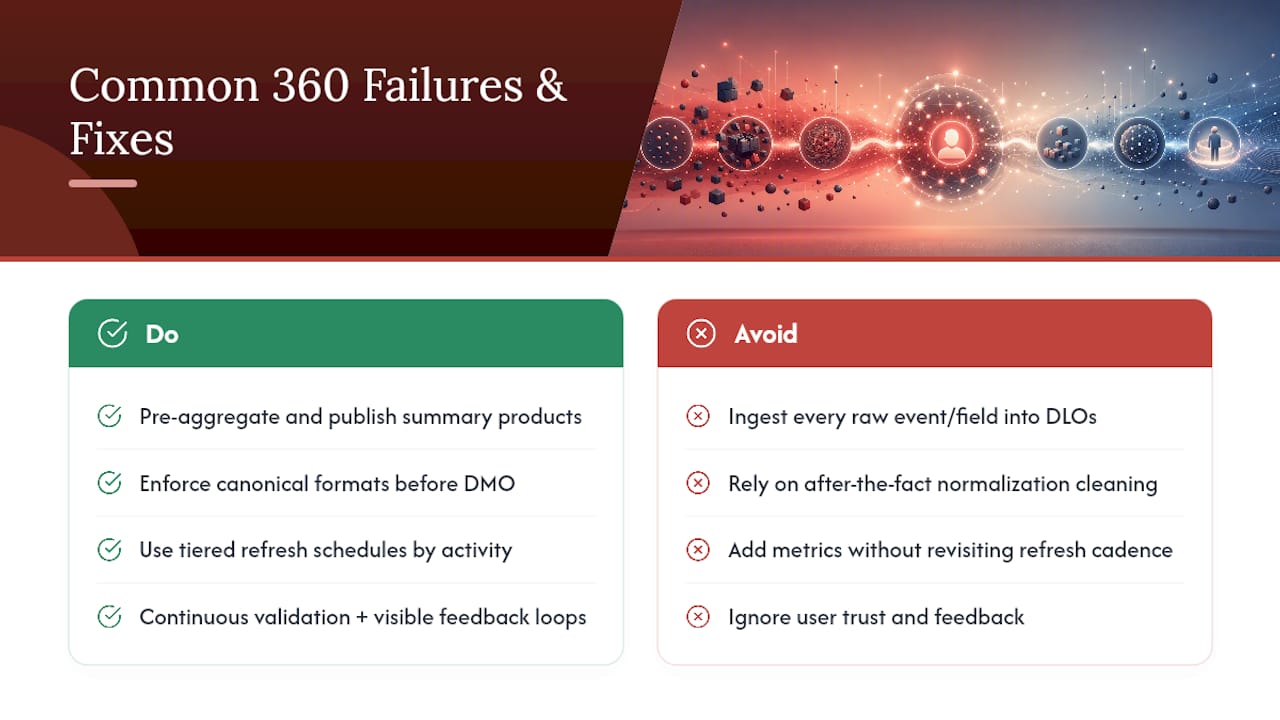
Over-ingestion is the most common early mistake: pulling every raw transaction line, every clickstream event, every field a source system exposes, into DLOs without a clear downstream use. The fix isn’t to ingest less broadly. It’s to pre-aggregate and publish summary-level data products for the majority of consumption patterns, reserving full-granularity raw data for the specific analytical use cases that actually need it.
Under-normalization shows up later and is harder to fix retroactively: inconsistent phone formats, mismatched address structures, and free-text name fields that defeat matching logic no matter how sophisticated the identity resolution rules are. Enforcing canonical formats before data ever reaches the DMO mapping step, rather than trying to clean it after the fact, prevents a large share of downstream match failures.
Runaway compute from Calculated Insights creeps in gradually as more metrics get added without anyone revisiting refresh cadence. Tiered refresh schedules segmented by profile activity level, as covered earlier, are the direct mitigation, and they need periodic review as usage patterns shift.
Profile distrust is the quiet failure mode that kills adoption even when the technical build is sound. If sales reps or campaign managers start noticing wrong merges or stale data, they stop trusting the unified profile and revert to their old spreadsheets. Continuous validation against labeled samples, visible feedback loops where users can flag bad merges, and basic explainability (showing which source contributed which field) rebuild that trust faster than any technical fix alone.
Pro Tip: Build a simple feedback mechanism directly into whatever tool your sales or service team uses daily, a single button to flag “this doesn’t look right” on a customer profile. That feedback loop catches identity resolution errors faster than any offline data quality audit, and it signals to the team that the profile is a living system, not a black box.
What an Embedded AI Build Taught Us About Identity and Activation
Reliable identity resolution is the precondition for almost any AI-driven workflow that touches customer records, a lesson that shows up clearly in an AI sales follow-up system built inside a CRM. Before that system could generate a single reliable follow-up recommendation, it needed a Data Graph narrow enough to load fast but complete enough to include every open opportunity, recent engagement, and contact point tied to a lead, without pulling in years of unrelated historical noise.
The operational pattern that held up in production followed a simple sequence: the AI layer proposes an action based on the Data Graph’s current state, a human reviews and approves it, and the approved action writes back to the CRM as the system of record. That human-in-the-loop step wasn’t a limitation bolted on for compliance. It was what made sales teams trust the system enough to keep using it past the pilot phase.

The clearest lesson from that build, and one that generalizes well beyond sales follow-up, is that a targeted Data Graph tied to one clear activation use case outperforms a sprawling attempt to model the entire customer relationship before anything ships.
Buy the Platform or Build the Layer Yourself?
Platform-native Customer 360 tools win on speed. If your team needs identity resolution, storage tiering, and a preloaded object model working within weeks, a platform handles the undifferentiated heavy lifting that would otherwise take months to build from scratch.
Custom layers win on flexibility, particularly where your workflows involve specific CRM logic, non-standard approval steps, or AI-driven decisions that need a human reviewing output before anything writes back to a system of record. That’s the gap an embedded AI partner typically fills: not replacing the platform, but building the connective logic and human-in-the-loop automation around it that a generic tool was never designed to handle out of the box.
The decision checklist is short. Do you have a narrow, well-defined activation use case? Does it require judgment calls a rigid platform workflow can’t make? Do you need the resulting system to remain understandable and controllable by your own team, not dependent on an outside vendor indefinitely? If yes to all three, custom, embedded work earns its cost.
Theodor
Getting Your Customer 360 Model Into Production Faster
Most teams don’t stall on customer 360 because the architecture concept is unclear. They stall because someone has to actually wire identity resolution, Data Graphs, and human review into the CRM and workflow tools the team already depends on every day. An embedded AI partner works inside your actual sales, marketing, or operations workflows first, then builds AI-driven layers and automation on top of the tools you already run, with human approval built into every step that needs it.
That embedded approach starts with an audit of how your team’s data actually moves today, where identity resolution breaks down, where Calculated Insights would pay off fastest, and which activation use case deserves the first Data Graph. From there, the build happens inside your infrastructure, with CRM writeback, section-level tracking, and supervised handover so your team owns and understands the system once it’s live, rather than depending on external support to keep it running. If your Customer 360 project needs someone to build that connective layer rather than another platform license, explore what an embedded AI engagement looks like and start with a scoped audit of your current workflows.
Where to Go Deeper on Customer 360 Architecture
For technical implementers building out DLOs, DMOs, and identity resolution logic, Salesforce’s Data 360 developer documentation covers the ingestion and transformation architecture in detail, while the Data 360 model gallery documents the preloaded object library and mapping tools.
For cloud-native builds, AWS’s guidance on Customer 360 data products in a data mesh and its companion end-to-end data strategy post lay out the five-pillar planning framework referenced throughout this guide. Sébastien Tang’s architecture patterns writeup remains one of the more practical references on domain-specific identity rules and Data Graph design.
FAQ
What is the Data 360 customer 360 data model?
It’s a standardized schema, built on Data Lake Objects mapped into Data Model Objects, that Salesforce’s Data 360 platform uses to unify customer records from multiple sources into one queryable, activation-ready structure.
What are the four types of customer data?
Customer data is commonly grouped into first-party (collected directly through owned channels), second-party (a partner’s first-party data shared by agreement), third-party (aggregated and purchased from external providers), and zero-party data (explicitly shared by the customer, like stated preferences or survey responses).
Which two characteristics describe the customer 360 data model?
It’s both unified, combining records from disparate sources like CRM, ecommerce, and support systems into one profile, and activation-ready, meaning the resulting data is structured and fast enough to power real-time personalization and AI-driven decisions rather than sitting only in analytical reports.
What is the customer 360 strategy?
It’s a phased plan built around five pillars, collection, unification, storage, analytics, and activation, that prioritizes a narrow set of use cases first rather than attempting to model the entire customer relationship before anything goes live. An embedded approach that pairs targeted Data Graphs with human-reviewed automation, as seen in production CRM follow-up systems, tends to reach real activation faster than a platform-only rollout.
Sources
- Data 360 Architecture | Get Started with Data 360 Development | Data 360 Developer Guide | Salesforce Developers
- Customer 360 Data Cloud Architecture Patterns | Sébastien Tang
- Guidance for Building a Customer 360 Data Product in a Data Mesh on AWS
- Create an end-to-end data strategy for Customer 360 on AWS | AWS Big Data Blog